 Supercharge your business with Getyn Cloud Apps. Get discounted pricing today! Offer ends in:
Supercharge your business with Getyn Cloud Apps. Get discounted pricing today! Offer ends in:
Supercharge your business with Getyn Cloud Apps. Get discounted pricing today! Offer ends in:
Get all the tools you need to provide excellent customer support.
 Signup now
No Contract, Cancel Anytime
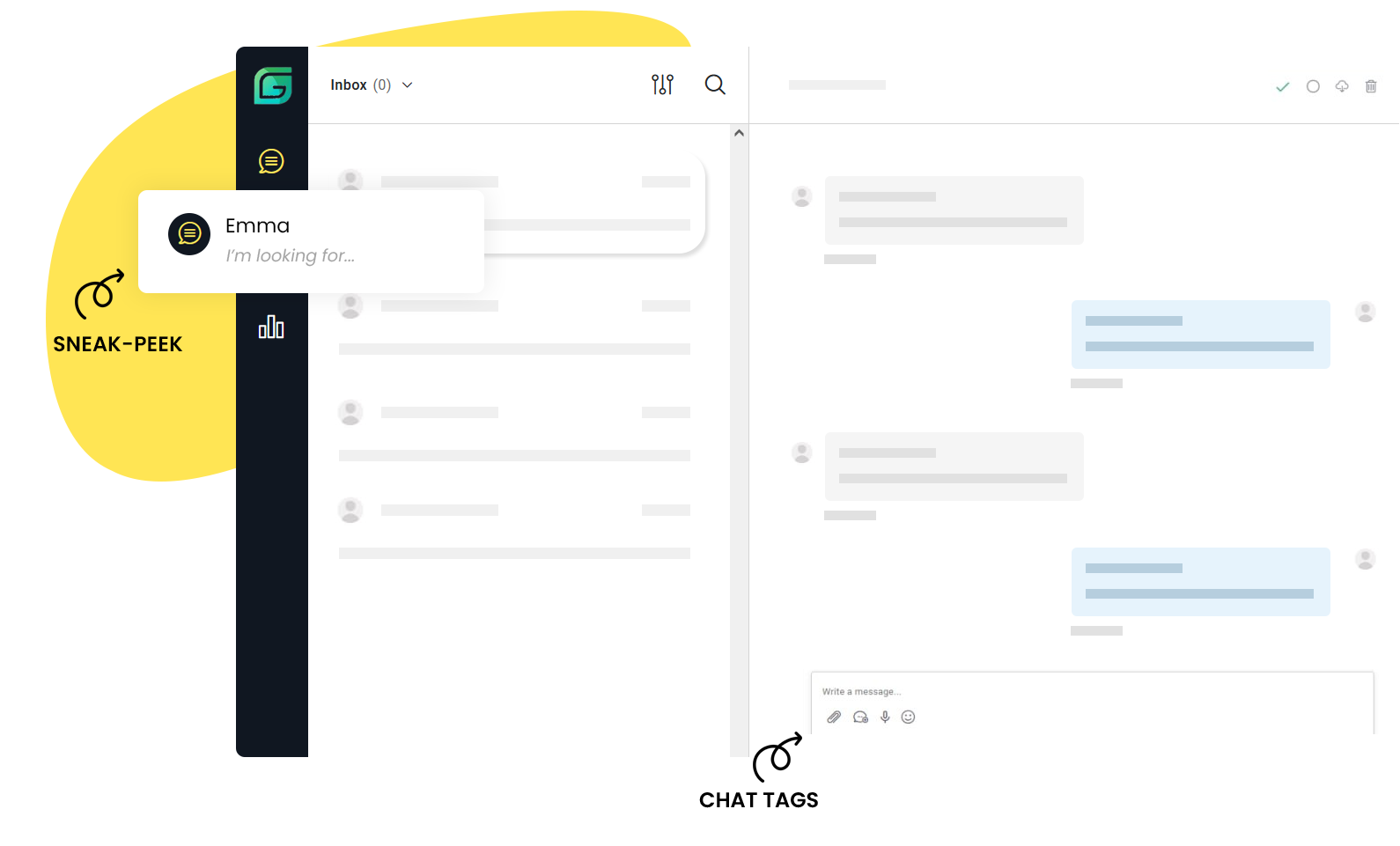
Everything that your customers are typing is visible to you before they send it over. You can search for an answer faster and respond in seconds.

Quickly save responses to common questions. Reuse them in conversations with just a few keystrokes.

Enter a hash sign and start typing. Suggestions will start showing right away.
Finding yourself writing the same thing over and over again? Save the response with one click.
Signup now
No Contract, Cancel Anytime
Add tags to your chats to give them context. You’ll always know what your customers talk about and what problems they face.
Better reporting with tags
Filter reports using tags to compare numbers between different types of cases.

Add tags to your chats to give them context. You’ll always know what your customers talk about and what problems they face.
Better reporting with tags
Filter reports using tags to compare numbers between different types of cases.
Send messages that are more personal, intuitive, and appealing than plain text.
A text message followed by buttons. Useful when you want to create a clickable response or build a menu.
Pre-defined instant replies that can be selected by users. Convenient for scheduling, surveying, and suggesting possible answers.
Cards that contain an image, a title, a description, and up to three buttons. Perfect for product recommendations. Add a few cards to create a carousel.
Apps that are temporarily displayed in the chat widget so the customer can complete an action like paying or scheduling a meeting.Apps that are temporarily displayed in the chat widget so the customer can complete an action like paying or scheduling a meeting.
 Signup now
No Contract, Cancel Anytime

Drag and drop files to send them on chat. Screenshots, offers, catalogs. Whatever makes supporting your customers easier. Oh! Customers can send files, too.
Drag and drop files to send them on chat. Screenshots, offers, catalogs. Whatever makes supporting your customers easier. Oh! Customers can send files, too.
All chats are stored and can be accessed later on. Use filters to quickly find conversations that include a certain phrase, were handled by a particular agent, or happened during a specific time.

All chats are stored and can be accessed later on. Use filters to quickly find conversations that include a certain phrase, were handled by a particular agent, or happened during a specific time.
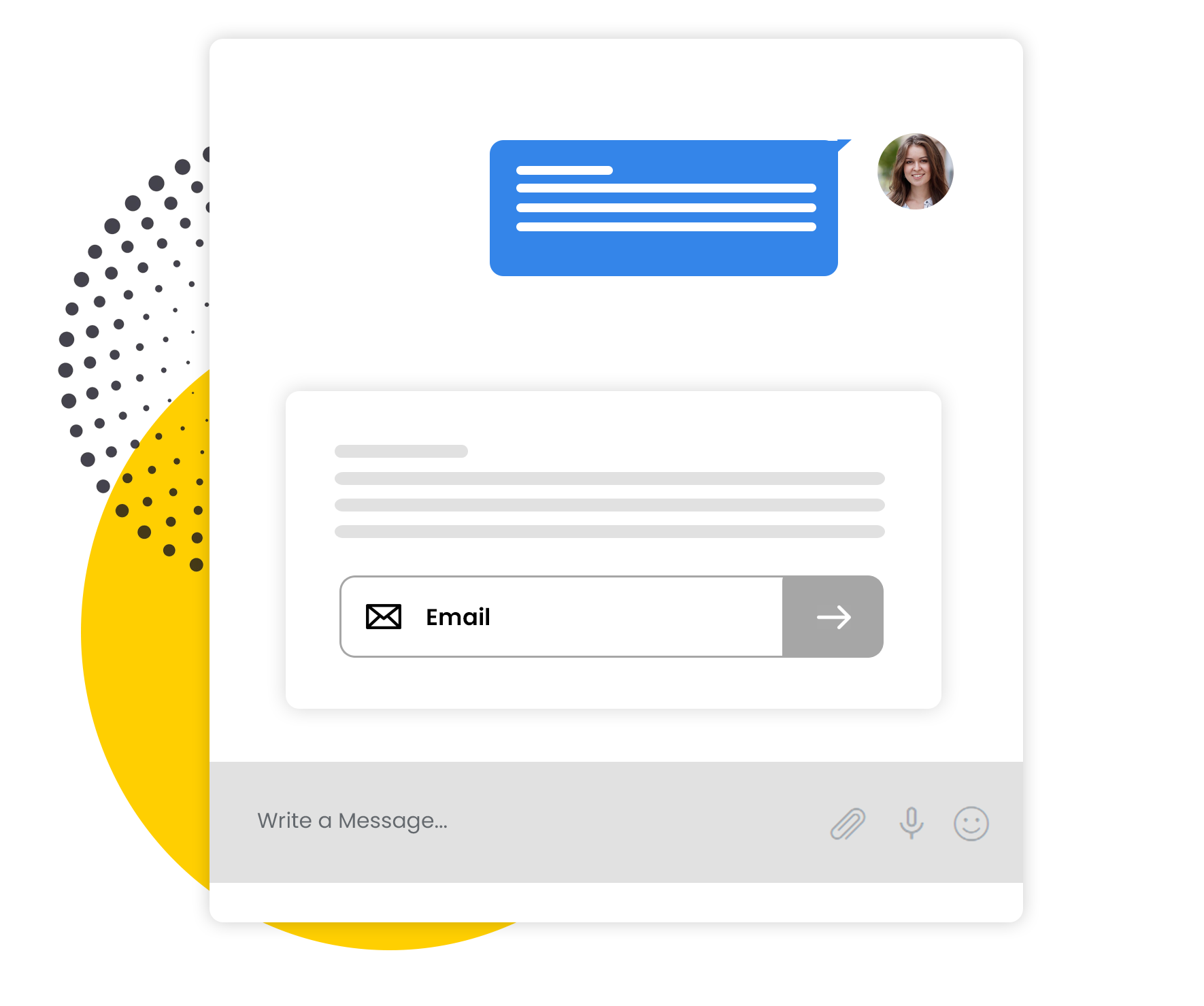
Stay in touch with customers even when your agents are too busy to reply instantly.
Ask for email
If a visitor hasn't heard from an agent after a specified amount of time, you can still keep your lead engaged by asking for their email address.
Stay in touch with customers even when your agents are too busy to reply instantly.
Ask for email
If a visitor hasn't heard from an agent after a specified amount of time, you can still keep your lead engaged by asking for their email address.
Signup now
No Contract, Cancel Anytime
Sound and visual notifications from Getyn apps ensure that no chat or new message goes unnoticed. You can choose which notifications you want to receive.
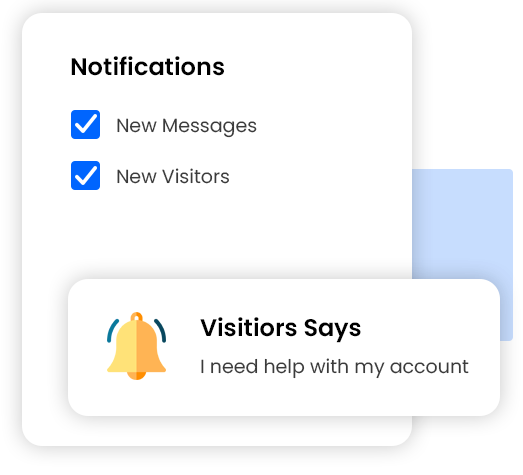
Sound and visual notifications from Getyn apps ensure that no chat or new message goes unnoticed. You can choose which notifications you want to receive.
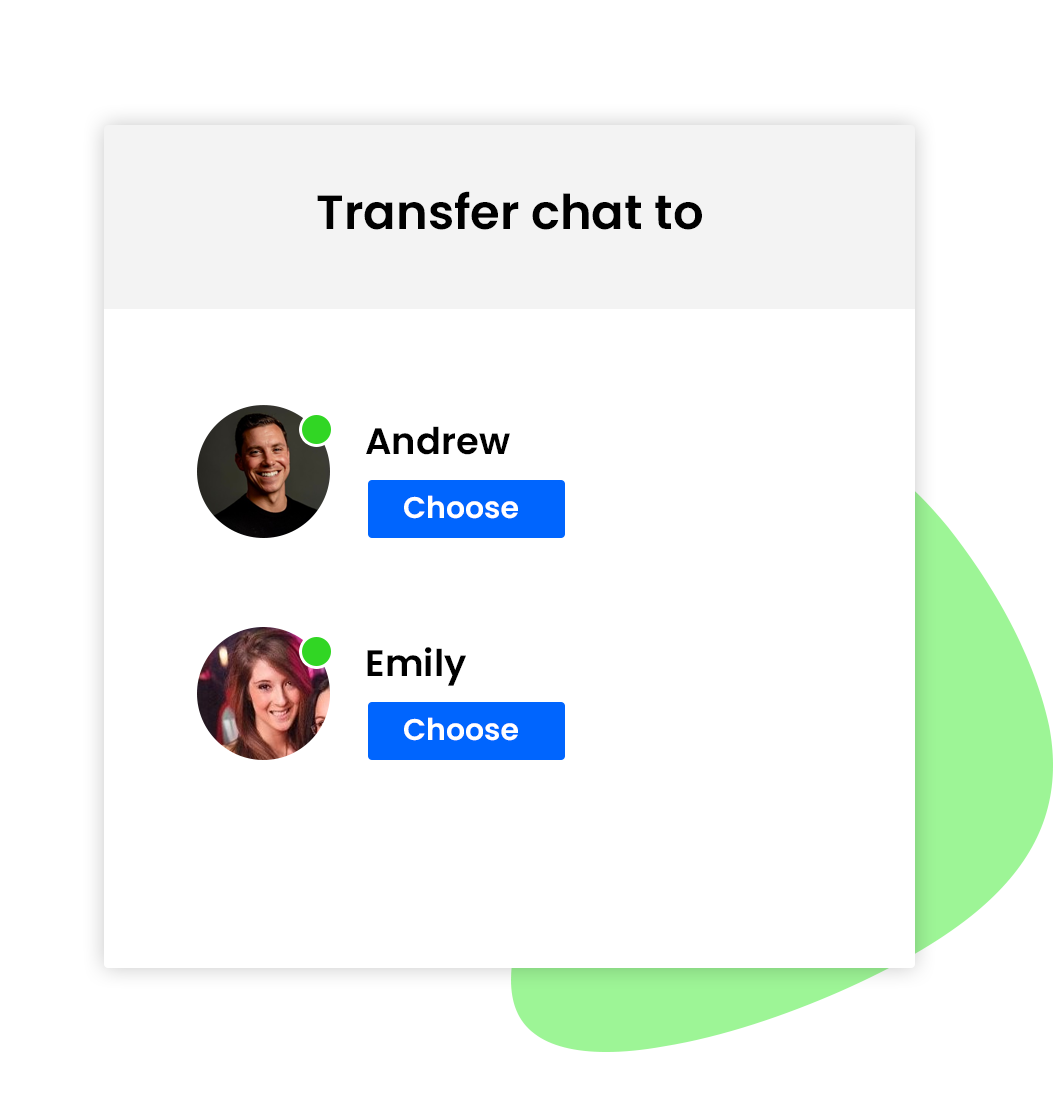
Your agents can work as a team and transfer chats when necessary. It’s extra handy when you come across cases that only a particular member of the team can handle.
Your agents can work as a team and transfer chats when necessary. It’s extra handy when you come across cases that only a particular member of the team can handle.
Gather feedback to know if your customers are happy with their live chat experience.
It only takes one click for a customer to show how they rate your support team.
Get specific feedback with short surveys showing after each chat.
Check how each of your agents is rated to see where your team can improve.
 Signup now
No Contract, Cancel Anytime

Supercharge business with 20+ apps
30 Days Money Back Guarantee
Round the Clock Support


 20+ Apps Access
 Cross Integrated Apps
 Centralised Control Panel
 Customisation support
 24*5 Support
Getyn G-Suite is an all-in-one subscription package that provides access to a variety of Getyn apps, including CRM, Social, Campaigns, Helpdesk, and more. It features a centralized administration panel, allowing you to easily manage licenses, group policies, and team members in one convenient place.
G-Suite plan gives you an access to all 20+ Getyn apps. You can easily customise your G-Suite plan by adding more G-Suite licenses or add more individual app users from the G-Suite admin dashboard.
No. We no longer sell individual apps licenses or users. You have to signup for a G-Suite plan to access any of our apps & services.
There are no limitations. You get full access to all Getyn apps.
Staff users can be your internal team members or employee’s within your organisation that would be using the Getyn application.
Help desk software is a tool that serves a wide range of customer support activities. You can organize messages, give assistance, and exchange information with customers at a single point of contact (SPC). The help desk uses tickets for communication — that's why it's also known as ticketing system software.
The data collected from tickets is a valuable source of customer information. You can analyze support stories and be well-prepared for new customer cases and issues.
A help desk system deals with support requests or emails (called tickets) from users. When users have specialized issues or need help, they send a support request through different channels like email, phone, or an online form on a website. The help desk team or software then sorts and prioritizes the tickets based on the nature and seriousness of the issue. The ticket is then assigned to the appropriate support personnel or team who work on fixing the issue. The help desk keeps track of the ticket's progress by providing updates and communicating with the user. Once the issue is resolved, the help desk gives the user a solution and closes the ticket.
Yes, Getyn HelpDesk offers 24/7/365 support. Feel free to reach out to our helpful support heroes at any time for guidance.
Use Getyn HelpDesk to handle requests through a structured process and efficiently manage and respond to customer requests.
1. Ticket creation: Users submit tickets through email, web forms, or social media, including all details.
2. Ticket assignment: Tickets are automatically assigned to suitable agents based on predefined rules.
3. Ticket tracking: The system tracks ticket status and updates, recording agent notes and actions.
4. Ticket prioritization: Tickets are prioritized based on impact, urgency, or predefined SLA rules.
5. Communication and collaboration: Agents communicate with users, request information, and collaborate with colleagues.
6. Ticket resolution: Agents work on troubleshooting, providing instructions, or escalating to specialized teams.
7. Ticket closure: Agents update ticket status, record resolution details, and gather user feedback.
8. Reporting and analysis: Getyn HelpDesk systems provide reports on ticket volume, response times, resolution times, and customer satisfaction.
Getyn HelpDesk prioritizes the security and privacy of its users' data. Here are some features and measures that Getyn HelpDesk implements to provide security:
1. Data Safety. Getyn HelpDesk complies with General Data Protection Regulation and holds Privacy Shield certification, ensuring strict data protection standards.
2. Secure Connection. Getyn HelpDesk employs a 256-bit SSL secure connection, which encrypts data transmitted between users and the Getyn HelpDesk servers.
3. Build-in Anti-Spam Protection. Getyn HelpDesk incorporates anti-spam protection to prevent spam emails from reaching users' accounts, ensuring a cleaner and more secure inbox.
4. Audit Log. The Enterprise solution offers an audit log feature that tracks and logs activities within the system.
5. Security Assistance. Getyn HelpDesk offers additional support and guidance to the Enterprise solution in implementing security measures and best practices.
Discover security features
Getyn HelpDesk provides a free 14-day trial to assess if our solution is the right fit for you before committing to payment. Following the trial, you can opt for the Team plan priced at $29 per month per agent (billed annually) or ask for the Enterprise solution based on your requirements.
You don't need to install Getyn HelpDesk at all, as it's a browser-based solution. The only thing required to use the application is an internet connection. Sign up for a free 14-day trial to test it out!
Yes, we offer a wide range of integrations with popular apps, including LiveChat, ChatBot, HubSpot, GitHub, Salesforce, Clearbit, Jira, and more. You can explore all the available integrations in the Getyn HelpDesk Marketplace.
Yes, Getyn HelpDesk can automate your ticketing process with automated workflows. It involves the automatic creation of support tickets, assignment to the right agent, prioritization, escalation, communication with customers, and resolution. Automation reduces manual effort, improves response times, and enhances customer satisfaction.


Want to see interactive demo videos of our apps? Explore our product tour videos.
See a demo >
Need additonal help or consultation?
Schedule a call with product specialist.
 CRM
CRM  Campaings
  Chat
Chat  AI Writer
  Social
  Voice
Voice